All-in-One Cost Calculator WordPress Plugin
$39
Cost calculator WordPress plugin with full Elementor support. Build advanced pricing forms and quote estimators for projects like home renovations, with online payments via Stripe.

What’s Inside
Explore Key Features
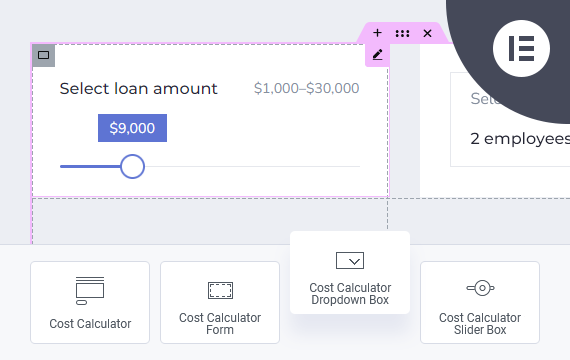
Elementor Integration
If you’re using the Elementor Website Builder for WordPress, the Cost Calculator plugin offers dedicated integration with 8 custom widgets: Cost Calculator, Form Container, Dropdown Box, Slider Box, Input Box, Switch Box, Summary Box, and Contact Box. These widgets allow you to visually build and customize calculator forms directly inside Elementor.
Built-in Form Builder
The Cost Calculator plugin includes its own powerful visual drag-and-drop form builder, allowing you to create calculation forms without relying on any external page builders. Work effortlessly with rows, columns, and components using a clean, intuitive interface designed specifically for building pricing and estimation forms.
You can create an unlimited number of fully responsive calculation forms using a flexible column-based layout and a set of predefined layouts, making customization fast and efficient for any use case.


Stripe Payments Integration
You can integrate Stripe Payments directly into your forms, allowing you to accept secure online payments without external checkout solutions. The plugin supports both one-time payments and subscriptions with flexible billing periods such as daily, weekly, monthly, or yearly plans, as well as custom intervals like “pay every 2 weeks”. You can choose between redirecting users directly to the Stripe checkout or sending a payment link via email.
Dropdown Box
The Dropdown Box component allows you to create selectable lists with fully customizable options. Each option can have its own calculation value, making it ideal for pricing variants and service selections. You can define a default value or placeholder text and mark the field as required if needed.


Slider Box
The Slider Box lets users slide and select a numeric value within a specified range. You can set the minimum and maximum values, define the step size, and even include an additional input field for precise value entry. It also supports currency symbols, separators, and allows setting a default value.
Input Box
The Input Box component allows you to add various types of input fields, including text, number, email, date, checkbox, and radio buttons. It can be used both for collecting user data and for calculation purposes. You can control labels, default values, placeholder text, and define whether the field is required.

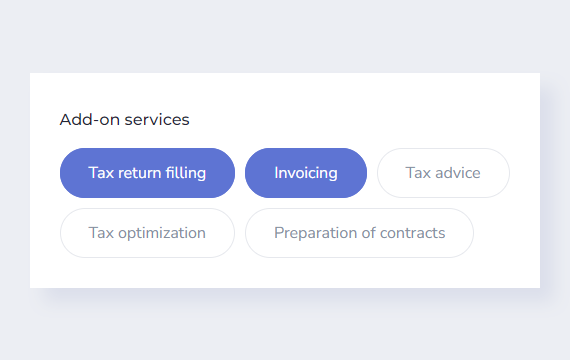
Checkbox
The Checkbox component allows users to select one or multiple options within a form. It works well for optional services, add-ons, or feature selection, where each checkbox can contribute its own value to the final calculation.
Switch Box
The Switch Box component provides a simple toggle input for binary choices such as “Yes” or “No”. It is ideal for optional features or upgrades, where each switch state can add or remove a value from the final calculation.


Date Picker
The Date Picker component allows users to select a date using a clean calendar interface. It is useful for scheduling, booking-related forms, or date-based calculations where user-selected dates are required.
Summary Box
The Summary Box is the core calculation component used to display results based on values entered in other form fields. It allows you to build advanced formulas using field IDs and mathematical operators, making it possible to calculate totals, subtotals, discounts, and custom pricing logic, with full control over formatting, rounding, and displayed values.
You can use multiple Summary Boxes within a single form to calculate and display different values at the same time, such as cost breakdowns, final totals, or alternative pricing scenarios.


Contact Details Box
The Contact Details Box allows you to collect user contact information directly after the calculation is completed. It works as the final step of the form, enabling visitors to submit their details together with calculated data such as selected options or total cost, including results generated by other form elements.
Pricing Plans
Cost Calculator Pricing
Single Site
Perfect for freelancers and single business websites.
$39
/ year
Cancel anytime
- Lifetime plugin usage
- 1 year of updates
- 1 year of support
- Use on 1 website
Multi Site
Ideal for growing businesses and multiple websites.
$119
/ year
Cancel anytime
- Lifetime plugin usage
- 1 year of updates
- 1 year of support
- Use on 5 websites
Unlimited
Best for agencies and unlimited client deployments.
$399
/ year
Cancel anytime
- Lifetime plugin usage
- 1 year of updates
- 1 year of support
- Unlimited website usage
Compare Plans
| Feature / Benefit | Annual Plan | Lifetime Plan |
|---|---|---|
| Plugin usage | Lifetime usage | Lifetime usage |
| Plugin updates | 1 year | Lifetime |
| Technical support | 1 year | Lifetime |
- Lifetime plugin usage: Keep using the plugin even after your annual license expires.
- Cancel anytime: Annual plans renew automatically, and you can cancel anytime.
- Risk-free purchase: Secure checkout by Freemius with a 14-day money-back guarantee.
Use Cases
Built for Pricing and Quote Calculators
01
Service Quotes
Create interactive calculators for services with configurable options, quantities, pricing rules, and instant estimates.
02
Home Renovation & Remodeling
Build cost calculators for renovation, remodeling, painting, flooring, roofing, and other home improvement services.
03
Custom Product Pricing
Calculate prices for configurable products, custom orders, packages, and add-ons based on customer selections.
04
Online Estimates & Payments
Let customers calculate costs, generate estimates, and proceed directly to online payment when needed.
There’s Even More
Discover More Features
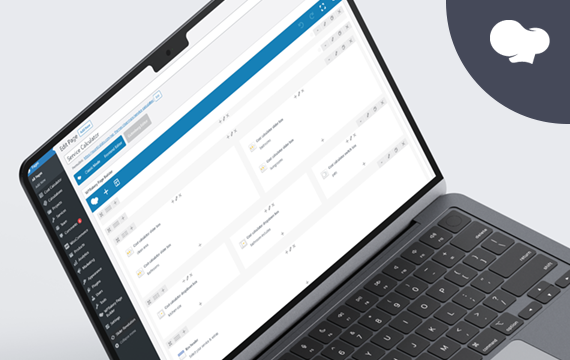
WPBakery Integration
Cost Calculator integrates seamlessly with WPBakery Page Builder, making it easy to embed and configure calculation forms. At the same time, all forms can be created using the built-in form builder.

Calculations Storage
All calculations and form submissions are securely stored in the WordPress database and available in the admin panel for easy access, with calculated results optionally sent via email.
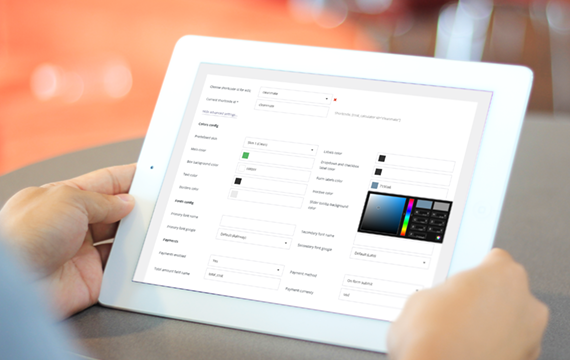
Predefined Layout Skins
The plugin includes five predefined layout skins that let you quickly adjust the visual appearance of your forms, with access to hundreds of Google Fonts to match your website’s typography.
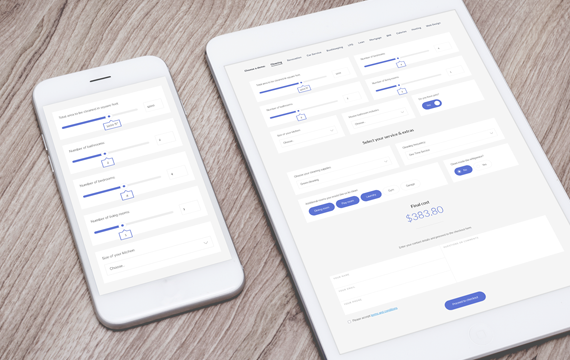
Responsive Layout
Cost Calculator is fully responsive, ensuring that all form elements and calculations work seamlessly across desktops, tablets, and mobile devices of all screen sizes.

One-Click Demo Importer
The plugin includes a one-click demo importer that lets you quickly import pre-made calculator forms. This helps you get started faster by editing existing examples instead of building forms from scratch.

Customizable Colors
You can fully customize form colors using a built-in color picker by overriding the default style settings.
Real Feedback
Look What Clients Are Saying
Ready to Get Started?
Choose the plan that best fits your business and start building professional cost calculators and quotation forms today.
Got Questions?
Frequently Asked
Questions
Find answers to the most common questions about installation, customization, support, and included features. Looking for other WordPress solutions? Explore our complete collection of WordPress plugins.
-
What do I get with my purchase?
Your purchase includes the Cost Calculator plugin package, a license key, access to product updates and technical support according to your selected plan, product documentation, and demo content to help you get started.
You will also receive access to your customer account, where you can download the plugin, view and manage your license, access invoices, and manage your subscription or renewal settings.
-
What happens after I complete my purchase?
After completing your purchase, you will receive an email with your order details, a download link for the plugin, your license key, and access to your customer account.
You can then download and install the plugin on your WordPress website, activate your license, and receive updates directly from the WordPress admin area while your update access remains active.
-
How do Annual and Lifetime plans differ?
Both plans include lifetime use of the plugin. The Annual plan includes 1 year of product updates and technical support and renews automatically each year unless cancelled. The Lifetime plan is a one-time purchase that includes lifetime product updates and technical support.
-
Can I use the plugin after my Annual plan expires?
Yes. The plugin will continue to work on your website after your Annual plan expires. However, you will no longer have access to new product updates or technical support unless you renew your plan.
-
Are plugin updates included?
Yes. The Annual plan includes product updates for 1 year, while the Lifetime plan includes product updates for the lifetime of the plugin. While your update access is active, new versions can be installed directly from the WordPress admin area.
-
How many websites can I use the plugin on?
The number of websites depends on the license option selected during purchase. You can choose a Single Site license for one website or select a higher license tier if you need to use the plugin on multiple websites.
-
Is technical support included?
Yes. The Annual plan includes 1 year of technical support, while the Lifetime plan includes lifetime technical support.
Support covers help with plugin setup, troubleshooting, reported plugin issues, and clarification of available features. Installation services, custom development, and extensive third-party integrations are not included.
Our support team usually responds within 24–48 hours, Monday through Friday. Technical support is available through the QuanticaLabs Support Forum.
-
Do I need coding skills to use the plugin?
No. The plugin can be configured and managed directly from the WordPress admin area without editing code. No programming knowledge is required for standard setup and day-to-day use.
-
Will it work with my WordPress theme?
The plugin is designed to work with modern WordPress themes that follow standard WordPress coding practices. In case of a compatibility issue, our support team can help identify whether it is related to the plugin, the active theme, or another third-party component.
-
Can I create multiple calculators?
Yes. You can create multiple calculators for different products, services, industries, or pricing scenarios. Each calculator can have its own fields, formulas, layout, styling, and payment settings.
-
Can I accept payments through calculator forms?
Yes. The plugin supports Stripe payments for both one-time charges and recurring subscriptions. You can also collect customer details and send payment links after a calculation is completed.
-
Can I use the plugin for quotes and estimates?
Yes. The plugin can be used for price calculators, quote forms, service estimators, order forms, and similar tools. It is suitable for industries such as construction, renovation, cleaning, transport, automotive services, events, and many others.
Find answers to the most common questions about installation, customization, support, and included features. Looking for other WordPress solutions? Explore our complete collection of WordPress plugins.
Thousands of Businesses Rely on Cost Calculator
Over 2,000 customers use Cost Calculator to build pricing and calculation forms.
2K+