All-in-One Hotel Booking WordPress Plugin
$59
Hotel booking WordPress plugin for hotels, apartments, and vacation rentals. Sync with Airbnb and Booking.com using iCal, manage rooms with amenities, and set flexible pricing.
What’s Inside
Explore Key Features
Hotel Booking WordPress Plugin
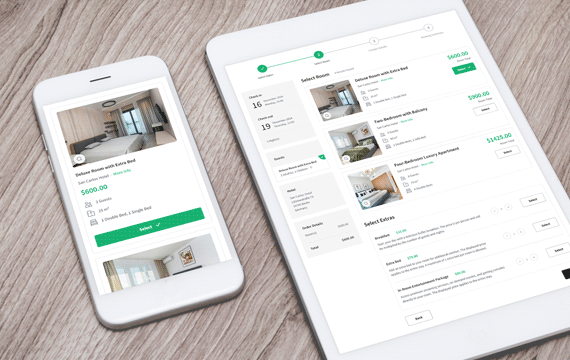
Turn your WordPress website into a complete hotel booking platform with flexible features and powerful reservation tools.
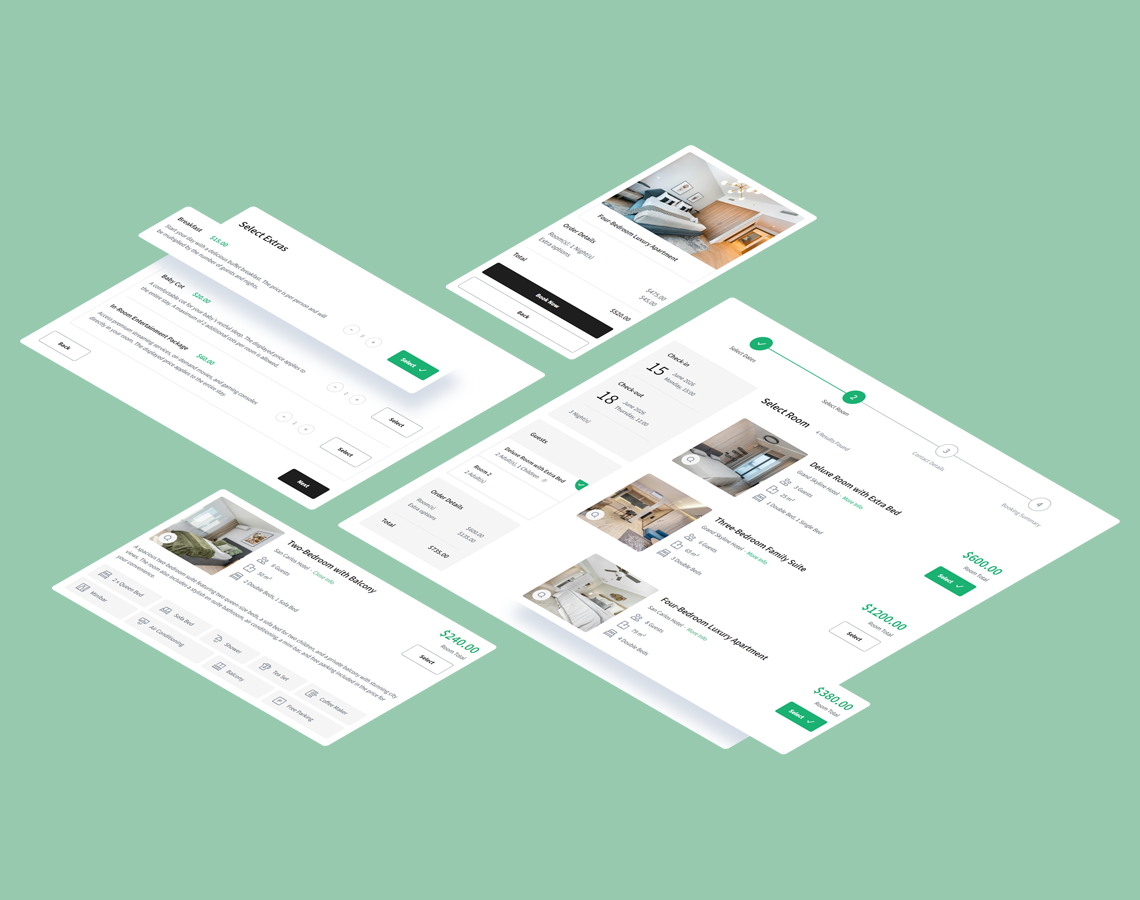
- Multi-room and multi-property support with flexible availability.
- Group bookings with guest assignment for each room.
- Full control over pricing, seasonal rates, and booking rules.
- Perfect for hotels, guesthouses, hostels, and vacation rentals.
Built-in Calendar
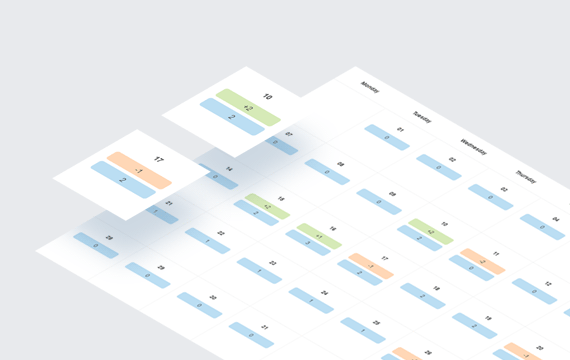
The occupancy calendar provides a clear monthly overview of all reservations, showing arrivals, departures, and current occupancy. You can filter entries by property, room, room type, and booking status, making it easy to manage availability across multiple locations from one place.
Hotels Module
Add and manage one or multiple hotels from a single dashboard. For each hotel, you can set check-in and check-out hours, define guest age groups (adults, children, or adults-only), configure advanced booking periods, control room availability for specific date ranges, block selected dates, and define minimum and maximum stay rules. The module also supports notifications and Google Calendar synchronization.
iCal Integration
Easily synchronize your bookings with external platforms such as Airbnb and Booking.com. The plugin supports both importing reservations from iCalendar (ICS) sources and exporting availability to third-party calendars. Choose between manual or automated sync, and keep track of sync history with built-in event logging. Perfect for avoiding double bookings and keeping all your calendars up to date.
Rooms Module
Add and manage rooms with detailed settings such as name, description, maximum occupancy, and guest groups (adults, children). You can upload a main photo or a full gallery, assign amenities, and decide which attributes are shown in booking forms or only in detailed room info.
Flexible pricing options are supported, including fixed room prices, per-night pricing, and different rates for adults and children. You can also configure security deposits as part of the room pricing, giving you greater control over booking conditions.
Group & Multi-Room Booking
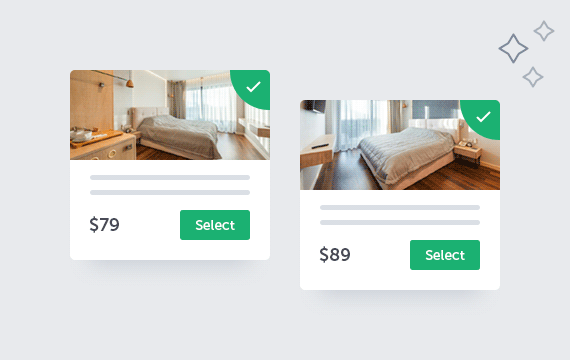
The plugin allows you to book multiple rooms in a single reservation, with the flexibility to assign different guest groups (e.g., adults, children) to each room. This feature is ideal for group bookings, allowing each room to be assigned to the appropriate guests.
Flexible Extras Management
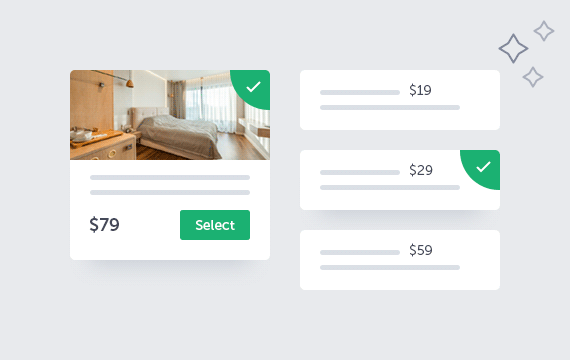
The Extras Module allows you to add customizable options during room booking. You can define default values, set minimum and maximum quantities, and apply conditions based on stay duration or the number of guests (adults and children). Pricing can be configured as a one-time fee or per night. Extras can be assigned to specific rooms with tailored pricing for each.
Multiple Payment Methods
The Hotel Booking plugin offers multiple payment options, including cash, Stripe, PayPal, and wire transfer. If WooCommerce is installed on your website, you can also leverage the full range of payment methods supported by WooCommerce, giving your customers more flexibility and convenience when paying for their bookings.

Room Attributes
The Room Attributes Module allows you to create custom attributes or amenities for rooms. Each attribute includes a title, an optional icon (with a selection of 60 pre-made icons), and a value that can be text-based, single choice, or multi-choice.
Attributes can be displayed in different formats: either with a header and corresponding value or as an icon paired with the value without a header. Once created, these attributes can be assigned to specific rooms.
Pricing Rules
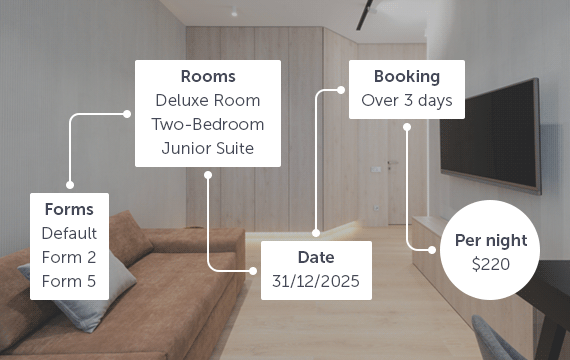
The Pricing Rules Module allows you to create flexible pricing rules based on specific booking conditions. You can define rules for selected booking forms, hotels, rooms, check-in and check-out weekdays, date ranges (including multiple ranges), months, length of stay, and guest-related conditions. Each rule modifies base prices independently, giving you full control over pricing strategies for seasonal, weekday-based, or long-stay bookings.
Widgets
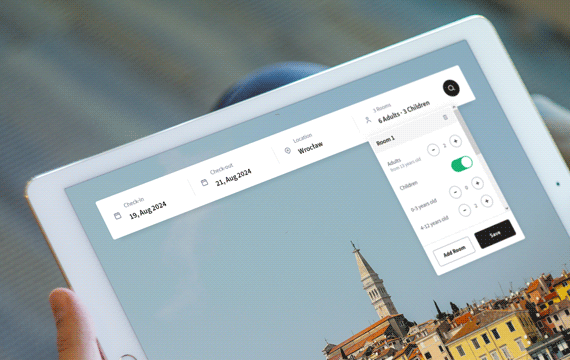
The plugin provides widgets in both horizontal and vertical formats. These are simplified versions of the booking form that can be placed anywhere on your website, including in sliders, and can redirect users to the main booking form.
Included Language Packs
The plugin comes with ready-to-use translation files, allowing you to start in your preferred language right away. Included languages: German, Greek, Spanish, French, Italian, Dutch, and Turkish. All translations cover both the booking form and the WordPress admin area, making localization effortless without additional setup.

Pricing Plans
Hotel Booking System Pricing
Single Site
Perfect for freelancers and single business websites.
$59
/ year
Cancel anytime
- Lifetime plugin usage
- 1 year of updates
- 1 year of support
- Use on 1 website
Multi Site
Ideal for growing businesses and multiple websites.
$159
/ year
Cancel anytime
- Lifetime plugin usage
- 1 year of updates
- 1 year of support
- Use on 5 websites
Unlimited
Best for agencies and unlimited client deployments.
$299
/ year
Cancel anytime
- Lifetime plugin usage
- 1 year of updates
- 1 year of support
- Unlimited website usage
Compare Plans
| Feature / Benefit | Annual Plan | Lifetime Plan |
|---|---|---|
| Plugin usage | Lifetime usage | Lifetime usage |
| Plugin updates | 1 year | Lifetime |
| Technical support | 1 year | Lifetime |
- Lifetime plugin usage: Keep using the plugin even after your annual license expires.
- Cancel anytime: Annual plans renew automatically, and you can cancel anytime.
- Risk-free purchase: Secure checkout by Freemius with a 14-day money-back guarantee.
Use Cases
Built for Accommodation Businesses
01
Boutique Hotels
Manage room availability, reservations, pricing, and guest stays from one booking system.
02
Apartments & Vacation Rentals
Accept direct bookings for apartments, holiday rentals, and other independent accommodation units.
03
Bed & Breakfasts
Handle reservations, seasonal pricing, guest details, and availability for smaller properties.
04
Guesthouses & Small Resorts
Manage multiple rooms or accommodation units with flexible pricing, payments, and booking rules.
There’s Even More
Discover More Features
Google Calendar Integration
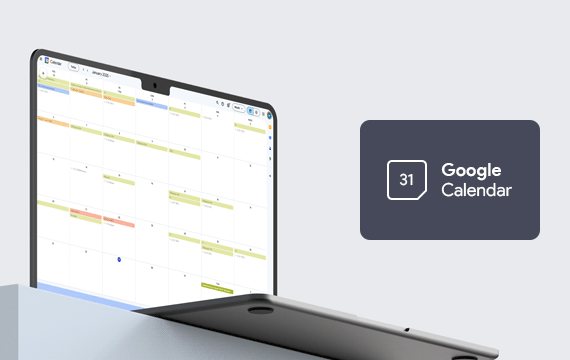
The Hotel Booking plugin integrates with Google Calendar for easier booking management.
Age Groups
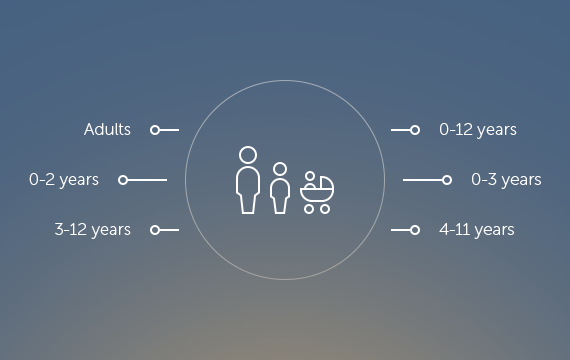
The Age Groups module allows you to create custom age groups, which can then be used throughout the system to define pricing, booking rules, and other settings based on the age of the guests.
Hotel Location Map
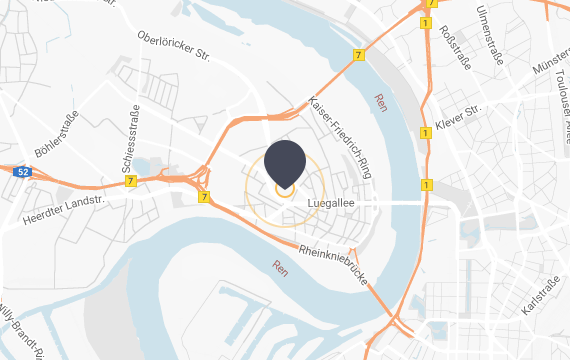
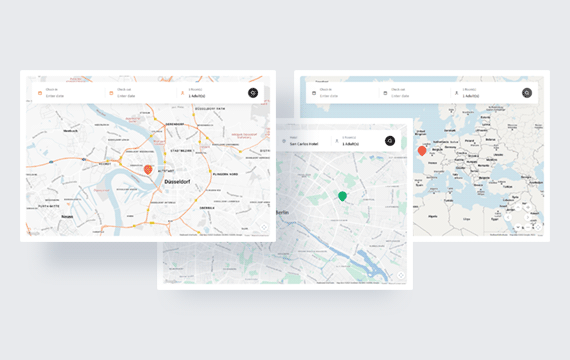
The plugin includes an interactive map with clickable hotel markers, allowing guests to easily find and select a hotel directly during the booking process.

Color Picker
Use the built-in color picker to easily customize the booking form’s appearance. Match colors to your website’s branding for a consistent, professional look that enhances your site’s design.
Coupons
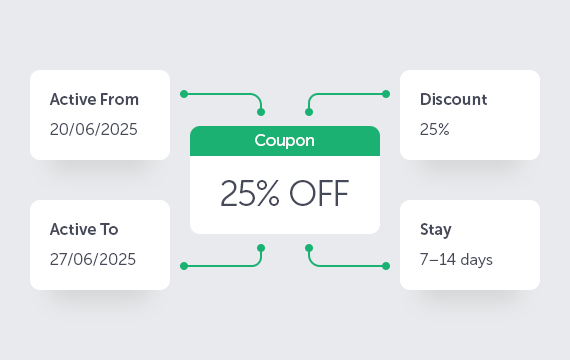
Create percentage-based discount coupons with usage limits and activation dates. Use the built-in generator to quickly create multiple coupons without manual setup.
Agreements & Form Builder
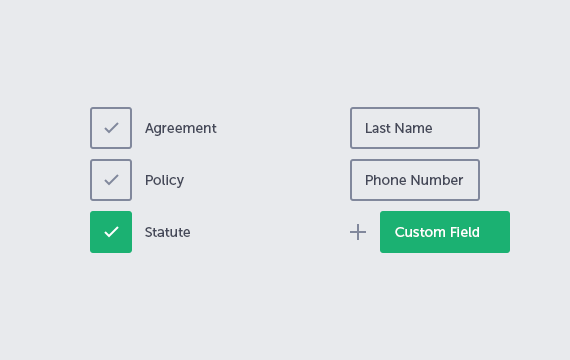
Add required or optional agreement fields for GDPR compliance. Use the built-in form builder to create custom sections and fields, define required inputs, and set your own error messages.
Notifications
Automated email, SMS (Vonage, Twilio), and Telegram notifications with pre-stay, in-stay, and post-stay reminders help keep guests informed and engaged throughout the entire booking lifecycle.

WooCommerce Integration
Seamlessly integrate with WooCommerce for login, registration, order processing, and payment gateways. The Hotel Booking plugin also works independently without WooCommerce.
One Click Install
Quickly set up with the demo importer in plugin settings. Import predefined content like booking forms, hotels, rooms, and settings in one click. It’s the fastest way to see and customize the plugin.
Real Feedback
Look What Clients Are Saying
Ready to Get Started?
Choose the plan that best fits your business and start accepting hotel reservations today.
Got Questions?
Frequently Asked
Questions
Looking for more details? We’ve compiled a comprehensive FAQ with additional questions about advanced features, customization options, and specific use cases.
-
What do I get with my purchase?
Your purchase includes the Hotel Booking System plugin package, a license key, access to product updates and technical support according to your selected plan, product documentation, and demo content to help you get started.
You will also receive access to your customer account, where you can download the plugin, view and manage your license, access invoices, and manage your subscription or renewal settings.
-
What happens after I complete my purchase?
After completing your purchase, you will receive an email with your order details, a download link for the plugin, your license key, and access to your customer account.
You can then download and install the plugin on your WordPress website, activate your license, and receive updates directly from the WordPress admin area while your update access remains active.
-
How do Annual and Lifetime plans differ?
Both plans include lifetime use of the plugin. The Annual plan includes 1 year of product updates and technical support and renews automatically each year unless cancelled. The Lifetime plan is a one-time purchase that includes lifetime product updates and technical support.
-
Can I use the plugin after my Annual plan expires?
Yes. The plugin will continue to work on your website after your Annual plan expires. However, you will no longer have access to new product updates or technical support unless you renew your plan.
-
Are plugin updates included?
Yes. The Annual plan includes product updates for 1 year, while the Lifetime plan includes product updates for the lifetime of the plugin. While your update access is active, new versions can be installed directly from the WordPress admin area.
-
How many websites can I use the plugin on?
The number of websites depends on the license option selected during purchase. You can choose a Single Site license for one website or select a higher license tier if you need to use the plugin on multiple websites.
-
Is technical support included?
Yes. The Annual plan includes 1 year of technical support, while the Lifetime plan includes lifetime technical support.
Support covers help with plugin setup, troubleshooting, reported plugin issues, and clarification of available features. Installation services, custom development, and extensive third-party integrations are not included.
Our support team usually responds within 24–48 hours, Monday through Friday. Technical support is available through the QuanticaLabs Support Forum.
-
Do I need coding skills to use the plugin?
No. The plugin can be configured and managed directly from the WordPress admin area without editing code. No programming knowledge is required for standard setup and day-to-day use.
-
Will it work with my WordPress theme?
The plugin is designed to work with modern WordPress themes that follow standard WordPress coding practices. In case of a compatibility issue, our support team can help identify whether it is related to the plugin, the active theme, or another third-party component.
-
Can I manage multiple hotels or properties?
Yes. You can create and manage multiple hotels or accommodation properties from a single WordPress website. Each property can have its own rooms, check-in and check-out times, availability settings, booking rules, payment methods, notifications, and Google Calendar synchronization.
-
Can guests book multiple rooms in one reservation?
Yes. Guests can reserve multiple rooms within a single booking. You can create separate guest groups and assign a suitable room to each group, making the booking process suitable for families, larger groups, and customers requiring more than one room.
-
Can I create seasonal rates and flexible pricing rules?
Yes. You can create pricing rules based on the selected hotel, room, date range, weekday, and length of stay. This allows you to define seasonal prices, weekday and weekend rates, long-stay pricing, and other rates for specific booking conditions.
Looking for more details? We’ve compiled a comprehensive FAQ with additional questions about advanced features, customization options, and specific use cases.
A New Way to Manage Your Hotel Bookings
Join hundreds of professionals using QuanticaLabs booking plugins.
9K+