- 2 December 2025
- updated 23 January 2026
- in WordPress Plugins
- by QuanticaLabs
- 2545
- 0
This article was last updated on January 8, 2026.
Managing a modern car wash or detailing business is no longer just about water, shampoo, and microfiber towels. It’s also about time management, online visibility, and making it as easy as possible for customers to book an appointment without calling, texting, or waiting for a reply. That’s where a car wash booking system comes in.
In this guide, you’ll learn what a car wash booking system is, what problems it solves, which features really matter, and how the booking journey looks from your customer’s perspective, especially if you run your website on WordPress.
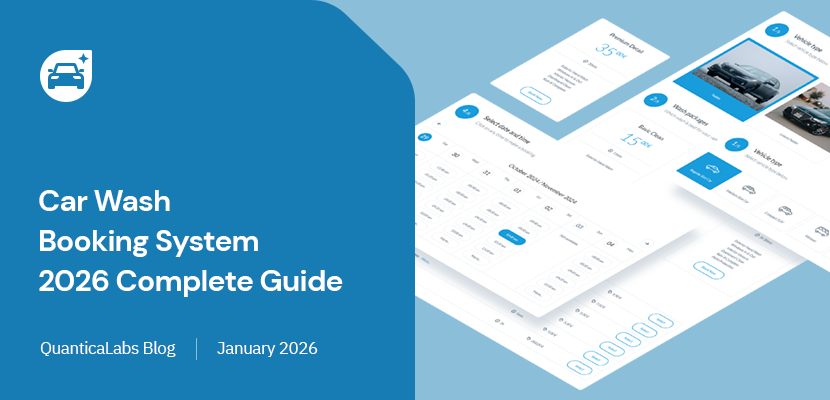
A car wash booking system is an online tool that allows your customers to schedule car wash or detailing services directly from your website. Instead of calling, sending messages, or using social media chats, your clients pick a date, time, location, and service package in a structured booking form and their reservation is saved automatically in your system.
For traditional car washes, it means organizing appointments for one or more wash bays. For auto detailing studios, it means planning long, premium services with precise timing. For mobile car wash businesses, it means managing travel time, locations, and extra fees for driving to your customer.
On WordPress websites, this role is usually handled by a dedicated booking plugin, such as the Car Wash Booking System for WordPress.
When bookings come from every direction like phone, SMS, WhatsApp, it’s easy to miss something. A car wash booking system centralizes all reservations in one place, so you no longer rely on memory, sticky notes, or multiple apps.
If several people promise the same time slot to different clients, the result is frustration and lost trust. An online system prevents double bookings by blocking unavailable dates and times automatically.
Without a proper calendar view, it’s hard to know when you’re fully booked and when you could accept more appointments. A booking system shows all reservations in a clear schedule, helping you plan staffing and marketing campaigns.
Many car washes and detailing centers operate several wash bays or workplaces at once. Managing them manually quickly becomes complex. A booking system lets you define multiple workplaces and assign bookings to each of them, so you can see capacity at a glance.
For mobile car wash businesses, every booking is different: travel distance, time on the road, and location-based costs all matter. A modern booking solution can help automate distance calculations and additional travel fees, reducing manual work and mistakes.
Your website becomes a 24/7 reception desk. Customers can book at any time, even outside your working hours, and you don’t have to interrupt your work to answer every single inquiry.
When all bookings are stored in one system, you always know how busy your day is. You can quickly see upcoming reservations, avoid double bookings, and plan your staff more efficiently, without having to manage multiple apps or handwritten notes.
Customers appreciate clarity: they know the exact date, time, services, and price before they confirm. Email notifications provide all booking details, and optional SMS alerts help the business stay informed about new reservations and changes.
Prices, service durations, taxes, and travel fees can be calculated automatically by the system. You don’t have to calculate everything manually, and your team spends less time on routine tasks.
Instead of only selling basic services, you can create attractive packages (for example, exterior wash + interior cleaning + waxing) and present them directly in the booking form. This makes it easier to upsell higher-value services.
If you are running your website on WordPress, you can implement all of these benefits with a dedicated plugin like the Car Wash Booking System for WordPress.

Explore our comprehensive overview of WordPress booking plugins and discover dedicated solutions for taxis, parking lots, hotels, car rentals, gyms, courses, and more.
Not all booking tools are the same. When choosing a solution for your car wash or detailing business, it’s worth paying attention to several key features.
The booking form should guide the customer through the process step by step: from choosing the location and vehicle type, to selecting services or packages, picking a date and time, entering contact details, and confirming the booking or making a payment.
If you operate more than one car wash or have several wash bays at the same place, your system should support:
The Car Wash Booking System for WordPress allows you to define locations and manage bookings per workplace, so you always know how much capacity you have left.
Your booking system should let you configure both single services (for example, “Exterior wash” or “Interior vacuuming”) and ready-made packages like “Premium Detailing” or “Full Interior Refresh”. For each service or package, you should be able to set:
A modern system should handle all time-related aspects, including:
Depending on your business model, you might want to accept:
With WordPress plugins like the Car Wash Booking System, you can combine built-in payment gateways with WooCommerce, which opens up access to additional methods such as local gateways or regional processors.
Automatic notifications help keep both you and your customers up to date. A solid booking system can send email confirmations, reminders, and status updates, and support SMS notifications to keep you informed about new bookings and changes in your schedule.
Promotions and special offers are powerful tools for attracting new clients. Your system should let you configure discount coupons and control how they are applied. Additionally, you should be able to configure tax rates and, if necessary, work with different currencies when serving international customers.
Even the most advanced booking engine is only useful if it’s easy to manage. Look for a solution that offers:
If you offer mobile car wash or detailing at the customer’s location, one of the most important features is the ability to calculate travel-related costs automatically. The Car Wash Booking System for WordPress can:
This means you can offer convenient mobile services while ensuring that each booking is priced fairly and profitably, without manual calculations for every address.
From your customer’s perspective, a well-designed booking process should feel natural and transparent. Here’s how it typically looks when using a structured, step-based form:
You can see an example of this type of booking form in the live demo of the Car Wash Booking System for WordPress, where each step is clearly separated and supported by a sticky booking summary.
Online bookings are useful for a wide range of businesses in the car care industry, including:
WordPress is one of the most popular content management systems in the world, and it offers a perfect foundation for a car wash or detailing website with online bookings. With WordPress, you get:
For booking functionality, you can install a specialized plugin such as the Car Wash Booking System for WordPress, designed specifically for car wash, detailing, and mobile car wash businesses.
Introducing a booking system to your business doesn’t have to be complicated. Here is a simple checklist to follow:
A car wash booking system turns your website into a powerful tool for managing appointments, improving customer experience, and organizing your daily work. Instead of juggling phone calls and messages, you get a clear calendar, a structured booking process, and the option to accept online payments.
Whether you run a traditional car wash, a detailing studio, or a mobile car wash business, investing in a dedicated booking solution can save time, reduce mistakes, and help you grow your revenue. If your site already runs on WordPress, a plugin like the Car Wash Booking System for WordPress gives you everything you need to start accepting bookings online in a professional way.
If you are ready to move away from manual scheduling and scattered messages, the Car Wash Booking System for WordPress gives you a complete toolkit for managing appointments, services, locations, and mobile visits in one place. Install the plugin, configure your services, and let your customers book online 24/7.

We specialize in WordPress plugins and themes that make complex tasks simple — from online bookings to cost calculations. With over 15 years of experience and thousands of customers on Envato Market, we’re committed to building reliable, user-focused tools that just work.


