- 26 April 2026
- updated 7 July 2026
- in WordPress Themes
- 2835
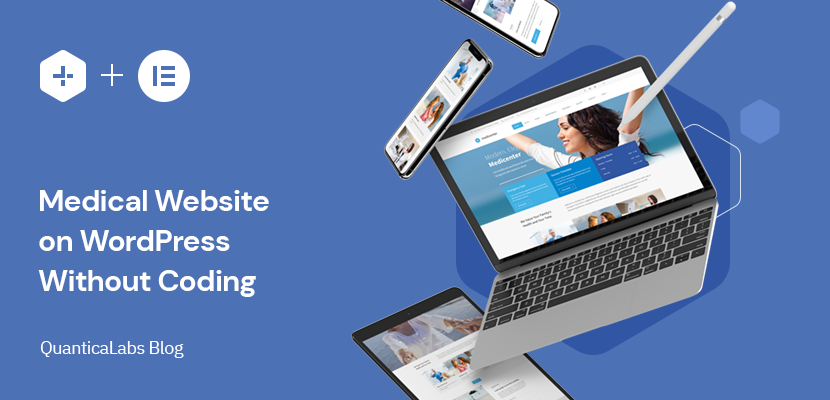
Building a medical clinic website with WordPress does not have to require custom development. In many cases, a well-structured theme, clear content, and the right page layout are enough to create a professional website for a clinic, private medical practice, or healthcare-related business.
In this guide, we will go through the key elements of a medical website: homepage structure, doctor profiles, services, departments, and trust-building sections. The goal is to show how to create a complete clinic website without starting from a blank page.
For this example, we will use MediCenter – Health Medical Clinic WordPress Theme as a practical reference. It includes ready-made layouts for medical websites, including clinic, dentist, veterinary, ophthalmologist, and pregnancy clinic demos.
A clinic website should clearly show what services are available, who provides them, and how to get in touch. Visitors need a simple path to the right service. The homepage, doctor profiles, and contact page should work as one structure. With a WordPress theme designed for medical websites, this structure is already prepared. You can start with ready-made pages and adjust them to your clinic.
A medical website should be simple, structured, and focused on information. Visitors expect to quickly find details about doctors, services, and contact options without unnecessary steps.
Each doctor should have a dedicated profile with basic information such as specialization, experience, and contact details. This helps build trust and allows patients to choose the right specialist.
A clear list of services is essential. Patients should immediately understand what the clinic offers, without having to search through long descriptions.
For larger clinics, grouping services into departments makes navigation easier. It helps visitors move quickly between related areas such as cardiology, dermatology, or general practice.
Displaying availability is important. Even a simple timetable showing working hours or doctor schedules improves clarity and reduces unnecessary contact requests.
The contact page should include address, phone number, email, and a simple contact form. A map is also useful, especially for local clinics.
The homepage should connect all key sections. It should guide users to doctors, services, departments, and contact options without confusion.
Creating a medical website in WordPress is usually much faster than it seems. With the right theme, most of the structure is already prepared. Instead of building everything from scratch, you start with ready-made pages and adjust them to your needs.
Start with a basic WordPress installation. Most hosting providers offer a one-click setup, so this step takes only a few minutes.
The theme defines the structure of your website. For medical projects, it is important to choose a theme that already includes pages like doctors, services, and departments. It is also worth choosing a proven solution that is regularly updated and used by many users.
Another important factor is how easy it is to edit the content. Themes that support page builders like Elementor or WPBakery allow you to update text, images, and sections without touching code.
Using a ready-made solution such as MediCenter – Health Medical Clinic WordPress Theme means you start with a complete layout designed for clinics, private practices, and healthcare businesses.
After installing the theme, you can import demo content. This gives you a fully built website with homepage layouts, doctor pages, services, departments, and contact sections already in place.
At this point, the website is ready. The main task is not building, but adjusting the content.
Update texts, images, and contact details. Replace demo doctors with real profiles, adjust services, and update descriptions to match your clinic. You can also update your logo, colors, and basic layout settings to match your branding. Adjust the main menu so it reflects your pages and structure. Updating content is usually done directly on the page using a visual editor.
Go through the imported pages and remove anything you do not need. Keep the structure clear and focused on your services and team.
Make sure contact details are visible and correct. Add working hours or a timetable so visitors know when the clinic is available.
Check mobile view, update images, and make small layout changes if needed. These final adjustments help improve clarity and overall presentation.
Even a simple clinic website includes multiple sections: doctors, services, departments, contact details, and a clear homepage structure. Building all of this manually takes time. You need to plan layouts, create pages, and make sure everything works together. A simpler approach is to start with a ready-made structure.
With a theme like MediCenter – Health Medical Clinic WordPress Theme, these sections are already prepared. The layout is in place, and the website is ready right after demo import.
Instead of building, you adjust. Replace content, update details, and publish. This significantly reduces the time needed to launch a complete clinic website.
A well-structured clinic website should be simple and predictable. Visitors should always know where to click next and how to find the information they need. Below is a typical structure used by medical websites:
The homepage should give a quick overview of the clinic. It usually includes an introduction, key services, doctor highlights, and contact information. It can also include trust elements such as patient testimonials or simple counters showing experience, number of procedures, or satisfied patients.
This page presents the clinic, its background, and values. It helps build trust and gives context to the services offered.
A dedicated section for doctor profiles. Each doctor should have a clear profile with specialization, areas of expertise, degree, and basic contact details. It can also include office location and links to social profiles for easier communication.
A structured list of services with short descriptions. This helps visitors quickly understand what the clinic offers. You can also include simple pricing examples or a step-by-step overview of the treatment or visit process to make the information clearer.
For larger clinics, departments group related services and doctors into clear categories. Each department can include a short description, a list of services, and assigned doctors. In more advanced setups, departments can also be connected with a timetable, showing when specific doctors are available within that department. For example, in MediCenter, departments are structured this way, making it easier to present both services and availability in one place.
A timetable or schedule shows working hours or doctor availability. This improves clarity and reduces unnecessary contact requests.
The contact page should include all key details: address, phone, email, and a contact form.
Even with the right tools, it is easy to make mistakes that reduce the effectiveness of a medical website. Most of them are related to structure and clarity.
If you are interested in similar WordPress business website setups, you can also read our guide on How to Build a Construction Company Website with WordPress.
Building a medical clinic website with WordPress is mostly about structure and clarity. With the right setup, you can launch a complete website without custom development. Instead of building everything from scratch, it is more efficient to start with a ready layout and adjust it to your needs.
If you want to speed up the process, you can use a solution like MediCenter – Health Medical Clinic WordPress Theme and adapt it to your clinic.
Create a complete clinic website using ready-made pages for doctors, services, departments, and timetable. With MediCenter – Health Medical Clinic WordPress Theme, you can import a full website structure and adapt it to your clinic without custom development.

We create WordPress plugins and themes used by businesses around the world. With more than 15 years of experience and over 125,000 products sold, we focus on building reliable tools that simplify bookings, rentals, scheduling, and online services.


